How to Check TU Result 2083: Online, SMS & Retotaling Guide

Nov 11, 2025

Your TU result is about to be published, and you’re feeling the mix of excitement, hope, and nerves. The panic sets in as the patience fades. The fear of results is real. But checking your result doesn’t have to be stressful.
To help you through this, here we’ve brought a short and simple guide to assist you in checking your TU result online, via SMS, through college notice boards, or directly from your college. We’ll also cover common issues, re-checking procedures, and what your options are after graduation, whether that’s higher studies, skill training, or planning to study abroad.
Let’s make checking your TU result simple and stress-free.
In this blog
About Tribhuvan University and Its Exams
Tribhuvan University (TU) is Nepal’s oldest and largest university, with thousands of students enrolled across hundreds of affiliated colleges. It offers undergraduate programs like BA, BBS, BEd, and BSc, as well as Master’s and professional courses.
TU conducts exams for each program according to annual or semester systems, depending on the faculty. After exams, results are carefully compiled by the Examination Controller Division and officially published for students. Every year, hundreds of thousands of students across Nepal appear for TU exams, making it one of the country’s largest academic events.
Results are primarily released through official online portals and SMS services, with colleges also posting notices and providing printed marksheets. Knowing where and how to access these results can save time and reduce stress.
How to Check TU Result in 2083?
To check your TU result for 2083, visit the official TU exam portal at result.tuexam.edu.np and search using your program, year, symbol number, and registration number. You can also use the SMS method by typing your symbol number and sending it to the designated number.
TU has made it quite easy to check your result now. You have four simple options, depending on what’s most convenient for you.
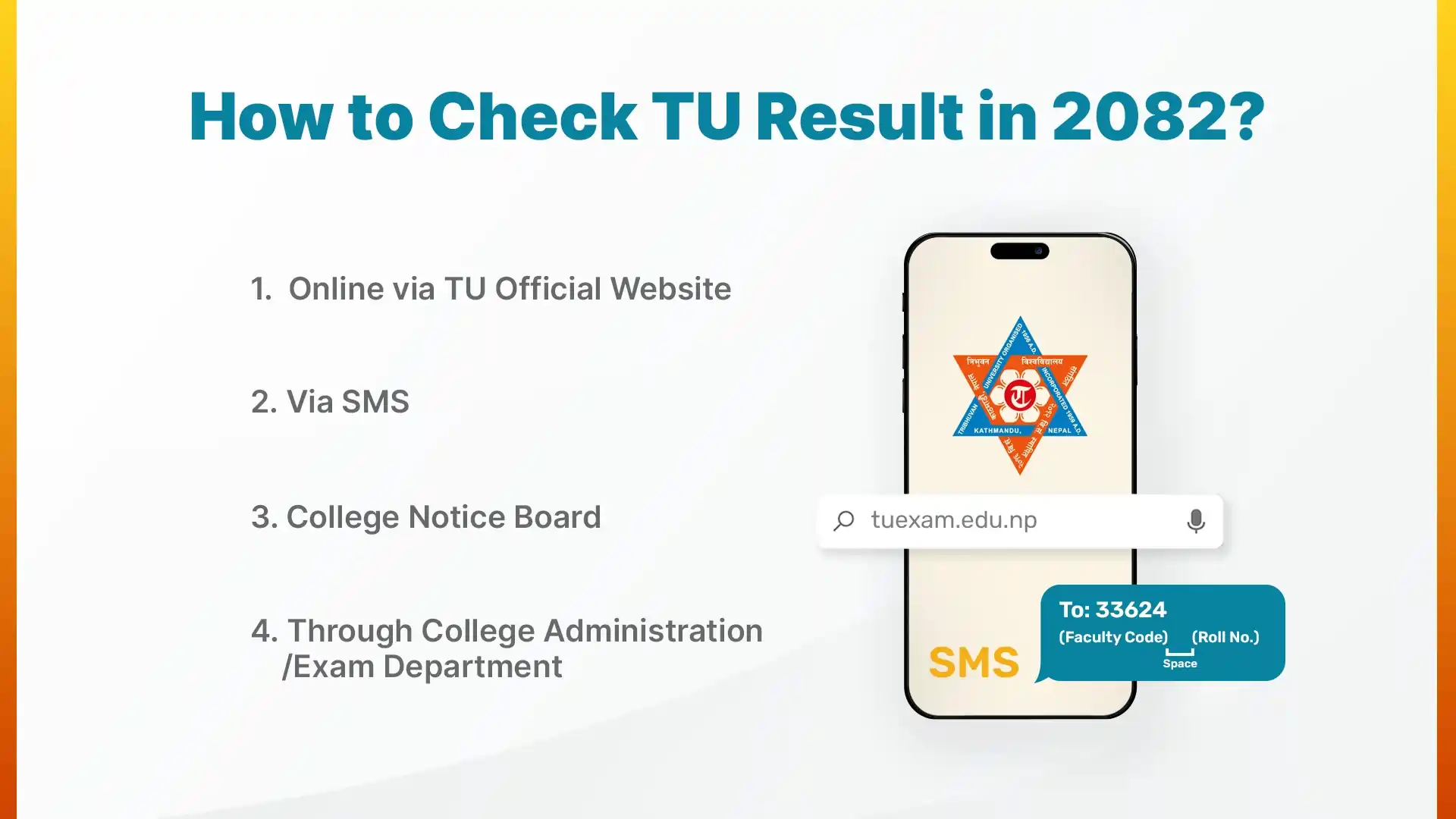
1. Online via TU Official Website
You can check your TU result by visiting result.tuexam.edu.np using your symbol number. This is the official and most reliable way to check your TU examination’s result. Follow these steps carefully:
- Visit result.tuexam.edu.np, which is the official page to check TU results
- Select your exam with the correct program, year, or semester
- Select the program you are studying and its duration
- Enter your exam roll number exactly as it appears on your admit card.
- Click on the ‘Search’ button.
Your marks will appear on the screen within seconds. Once you see your result, take a screenshot or print it right away. You’ll need it later for official use or college verification.
2. Via SMS
If the TU website isn’t opening or your internet is slow, you can check your result by SMS. It’s fast and works on Ncell, NTC, and Smart networks. Here’s what you need to do:
- Open your phone’s message box.
- Type your faculty code and roll number. (Example: BBS 123456 or BA 987654)
- Send this message to 33624 or 34949.
Within a few seconds, you’ll receive an SMS with your result details with subject-wise marks or grade, depending on the format.
This is especially helpful if the TU website is overloaded or if you just want a quick confirmation without going online.
3. College Notice Board
Yes, the classic method still works. Many TU-affiliated colleges continue to publish printed copies of results on their notice boards right after the results are released.
You can simply walk into your college, head to the notice board, and find your roll number on the list. It’s particularly useful for students living near campus or those who don’t have stable internet access.
4. College Administration / Exam Department
If none of the above methods work for you, you can still consult with your college’s exam department to find out your result. The staff can look up your result through the official TU system and verify your marks. They can also guide you if you want to apply for re-totaling or need an official transcript later.
Just make sure you go during office hours and take your exam admit card or ID number with you for quick verification.
Want to Study in Australia with Scholarship?
Get expert guidance on scholarships, universities, and applications. Start your journey today and make your dream of studying in Australia a reality!
Common Problems While Checking TU Result (and Solutions)
Now, even though TU’s process is simple, many students still face small issues like the website not loading, results not showing, “result not published” messages, or even wrong marks displayed. These problems are common and easy to fix.
1. Website Not Loading
If the website isn’t opening, it’s likely because too many people are checking at once. TU’s result server gets overloaded easily. Try these quick fixes:
- Open the website early morning or late at night.
- Use a different browser (Chrome, Edge, or Firefox).
- Switch from Wi-Fi to mobile data or vice versa.
You can also try checking from your phone’s incognito mode, which sometimes helps load the page faster.
2. Result Not Showing
If you enter your roll number and the site shows nothing, double-check:
- Did you select the correct faculty and year/semester?
- Is your symbol number exactly right (no extra spaces or typos)?
If everything looks correct but the result still doesn’t show, it could mean TU hasn’t uploaded your batch’s data yet. Try again after a few hours.
3. “Result Not Published Yet” Message
Don’t worry if you see this. It simply means that your program’s result hasn’t been released yet. TU publishes different faculties’ results on different days. For example, results for BBS 4th Year might be out while BA 3rd Year remains pending.
Keep checking every few days, or ask your college for updates.
4. Incorrect or Missing Marks
If you believe there’s a mistake in your result, reach out to your college’s exam section immediately. For example, if any subject shows wrong marks, “absent” even though you gave the exam, or missing results. It’s usually a technical or entry error.
You can also contact the TU Examination Controller Division directly. They’ll help you confirm whether it’s a technical error or if you need to apply for re-totaling. Never ignore discrepancies; fix them as soon as possible.
Book a FREE Career Counseling Session to Study Abroad
Re-Totaling or Re-Checking Your TU Result
Sometimes, your result might not match your expectations. Maybe you were confident about a subject but didn’t get the marks you thought you deserved. In such cases, TU allows students to apply for re-totaling.
1. What is Re-Totaling?
Re-totaling doesn’t mean your answers are re-checked for quality or accuracy. It only ensures that:
- Your marks were added correctly, and
- All answer sheets were evaluated and recorded.
It’s a way to confirm there were no calculation or entry errors during result processing.
2. How to Apply for Re-Totaling
Here’s how you can do it:
- Visit your college’s exam section or the TU Examination Controller Division.
- Fill out the re-totaling application form within 35 days of the date your result was published.
- Pay a small processing fee (the amount varies slightly depending on your program).
- Keep a copy of your application receipt for reference.
Make sure you apply only if you’re confident that an error might have occurred, and do it within the deadline. TU doesn’t accept late applications.
3. When You Can Expect the Updated Result
The re-totaled result usually comes out within a few weeks, depending on the workload at the Examination Controller Division. Keep checking your college’s notice board or the TU website for updates. Once published, your updated marks will appear in the official records.
How to Take Your Marksheet from TU?
Once your TU result is out, the next step is to get your official marksheet. This is an important document. You’ll need it for higher studies, job applications, or studying abroad. Here’s how to go about it.
1. Check Your Online Result First
Before you visit your college, make sure your result is published online. Verify all your subject marks and overall GPA or percentage. It’s a good idea to save or screenshot your online result so you have a reference in case of any discrepancy later.
2. Collecting the Printed Marksheet from Your College
After the official results are confirmed, TU-affiliated colleges print digitally signed marksheets. Visit your college’s exam section or administration office to collect yours. Your marksheet will carry the college stamp and the TU controller’s signature or QR code, proving its authenticity.
3. Consolidated or Final Marksheets
If you’re in a semester system, your college may issue a consolidated marksheet covering all semesters once your program is complete. Annual programs usually provide a single marksheet per year. This helps if you need proof of your full academic record.
4. Special Documents
For things like transcripts, provisional certificates, or final degree certificates, you need to apply separately at the TU Controller’s Office. Make sure you know the required documents and processing fees ahead of time to avoid delays.
Try to collect your marksheet early to avoid long lines at the college office. Always double-check your personal details and marks on the printed copy. Keep it safe since it’s an official record of your achievement and will be needed multiple times in the future. For more detail explore kumari job tu result guide.
What After Completing Your TU Degree?
After completing your Bachelor’s or Master’s degree in Tribhuwan University, you can either find a job, pursue further education, or join specialised training as per your academic and career plan. Let’s talk about your main options, whether you want to learn, work, or study abroad.
1. Pursue Further Education in Nepal
If you want to keep studying, Tribhuvan University and its affiliated colleges offer plenty of Master’s and specialized programs. You can choose from MA, MBS, MEd, or MSc, or even plan ahead for a PhD. Higher education helps you go deeper into your subject and opens doors to teaching, government, and research jobs. Admissions usually start soon after Bachelor’s results, so keep your documents ready and watch for college notices.
2. Plan for Studying Abroad
If you are willing to explore new perspectives, better opportunities, and a global learning experience, this might be the perfect time for studying abroad. Many TU graduates continue their higher education in Australia, Canada, the UK, and the USA. These countries welcome Nepali students for their dedication and work ethic.
If you are thinking of studying abroad, reach out to a trusted consultancy in Nepal to begin your academic plan with proper guidance. Most education consultancies offer free first counseling sessions, so it’s worth a visit.
Interested in Studying Abroad? Explore Top Countries Now!
3. Take Job-Oriented or Professional Training
If you want to up-skill before entering the job market, short-term skill courses are a smart move. These programs teach you practical skills that make you job-ready. You can learn Digital Marketing, Graphic Design, Accounting Software, Teaching Methods, or IT skills. Many skill trainings in Nepal are offered in flexible schedules, so you can study even while working or preparing for other plans.
Your TU degree builds knowledge, but training adds the skills employers really look for.
4. Find a Job and Start Gaining Experience
If you’re ready to step into the professional world, start applying for entry-level jobs or internships right after your results. Look for roles related to your field, like assistant positions in offices, banks, schools, or NGOs. Indulging in a profession helps you understand how workplaces run and builds confidence for future opportunities. This experience also comes in handy while pursuing further education.
Conclusion
Whatever your TU result says, remember, it reflects your current effort, not your potential. Take it calmly, humbly, learn from it, and use it as fuel to grow stronger. Now’s the time to look ahead practically. You can either continue studying further, gain new skills, or start working.
Your TU degree is just the start; what you build next is entirely up to you. Stay curious, stay brave, and keep moving forward. Every step you take adds to your story. This result isn’t the end; it’s simply the beginning of everything you’re yet to achieve.